My Digital Canvas:

Crafting a Recruiter-First Portfolio Experience
Personal

Personal

ROLE

Web Designer

TIMELINE

May - Jul 2025 (6 Weeks)

TOOLS

TIMELINE

May - Jul 2025 (6 Weeks)

TOOLS

Figma

Framer

ROLE

Web Designer

Problem

Problem

I was getting constant UI ideas for my soon-to-become-tangible portfolio during my final university semester. While gathering inspiration from other portfolios, I noticed a reoccuring pattern—many of them featured unnecessarily convoluted designs and tons of moving parts that lead to cognitive overload.

The recognition of this pattern sparked a clear direction for my portfolio. As recruiters and hiring managers are busy and only have a mere window to sift through countless applicant portfolios, the information that is presented to them has to be short and punchy for them to acknowledge any of it.

Therefore, my task was clear: make a highly-skimmable, recruiter-friendly portfolio.

Process

Process

First Things First

First Things First

Before my hands touched any computer peripherals, they were wrapped around a notebook and pen, writing down requirements that recruiters would appreciate. These goals helped keep the scope constrained throughout the project.

Recruiter-Friendly Goals

NOT resource-intensive

Intuitive navigation

Fast loading

Quick access to contacts

Responsive

Option to download CV

Requirements established before design began, ensuring recruiter needs stayed central to all decisions.

Designing for 60-Second Scans

Designing for 60-Second Scans

Their design is the core innovation of this portfolio. My portfolio’s highly skimmable goals were validated through deep AI research targeting best case study practices.

It can be estimated that a recruiter has roughly 60 seconds per portfolio; therefore, a case study should be mostly visual, with text providing additional context and narrative structure.

It can be estimated that a recruiter has roughly 60 seconds per portfolio; therefore, a case study should be mostly visual, with text providing additional context and narrative structure.

Key take-aways from deep AI research reports on best case study practices. These points were critical for making case studies truly skimmable.

Framer’s built-in CMS collections would’ve been the easiest route; however, they are constrained into a preset template, meaning they would become very formulaic.

Case studies should conform to a structure that benefited each the most. This could be only achieved with Framer’s normal pages, which would miss out on CMS features. 

Framer Normal Pages

Complete layout control

Unique structure per project

Demonstrates responsive design skills

No automated filtering

Manual setup per case study

Framer CMS Collections

Automated filtering

Easy updates across all instances

Rigid, identical layouts

Limited visual variety

Normal pages sacrifice convenience features for complete creative freedom—essential for unique case study layouts.

This way it can be ensured that the content leads the user to the bottom swiftly and smoothly. Why was that important?

Where's the Header?

Where's the Header?

A major unconventional change on the website is the omission of a header, whose contents were instead moved to the footer. The intention was to replicate the effects of IKEA layouts.

Traditional Header Navigation

Experimental Footer Navigation

Footer navigation exposes users to content they'd miss with header navigation during the scroll journey.

Users scroll to the bottom to view full page content regardless. Thus, the downward journey provides an opportunity for details to catch the user’s attention. The biggest pay-off coming from them scrolling back up to get the full context.

The footer also contains the contact info and its CTA, which can serve as a constant reminder to the recruiter; almost like an ad that keeps showing up.

However, this decision is still in debate as it significantly conflicts with my goal for intuitive navigation, and might be subject to change in the future.

Simplifying Filtering

Simplifying Filtering

Initially, the ‘Work’ page was supposed to feature a multi-select filter; so recruiters could filter my vast array of projects based on simple tags (e.g. Personal, School, Work)

However, this was a classic case of ‘jumping the gun.’ This was unnecessary, as there was no plan for the portfolio to launch with more than 3 case studies. Thus, a simpler alternative was designed.
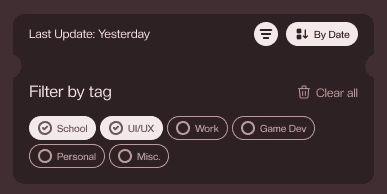
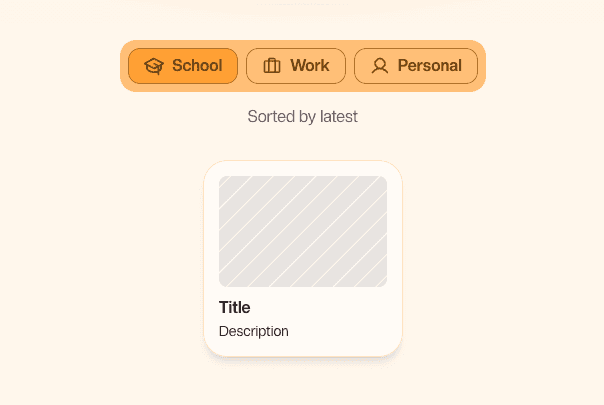
Initial multi-select design (top) assumed dozens of projects; simplified single-select (bottom) matched actual launch scope.

Outcome

Outcome

The result is a functional portfolio that achieves the recruiter-friendly goals I set out to accomplish:

Scannable Case Studies

Scannable Case Studies

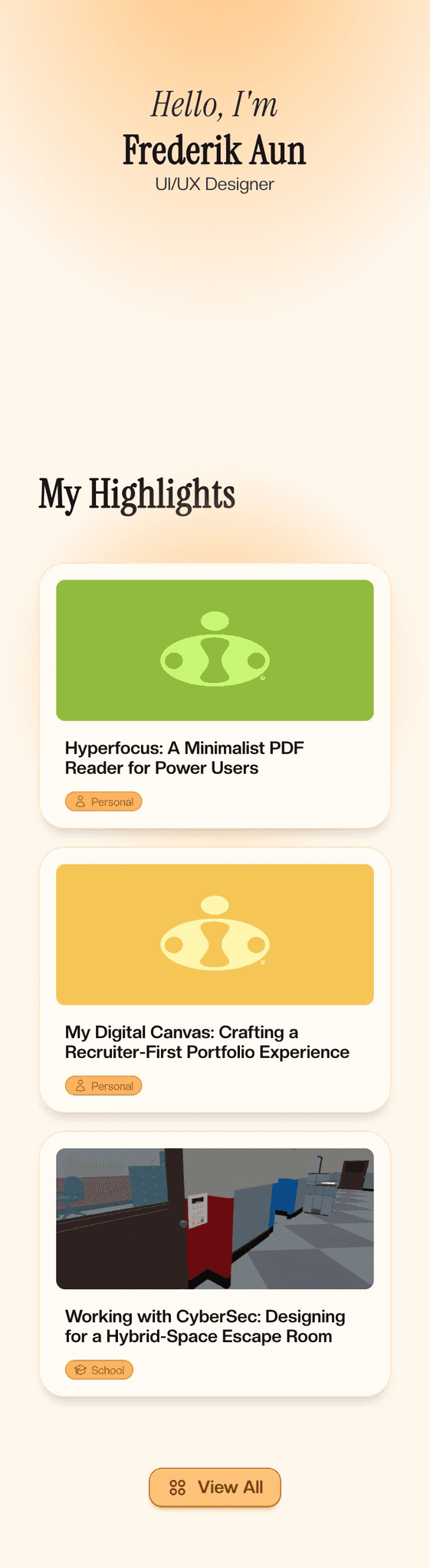
The layouts of the case studies balance skimmability with unique personality.  By converting some text into visuals and graphics; rewriting remaining text for punchiness; bolding selective phrases; recruiters can quickly get the information they need without time-consuming reading.

The layouts of the case studies balance skimmability with unique personality.  By converting some text into visuals and graphics; rewriting remaining text for punchiness; bolding selective phrases; recruiters can quickly get the information they need without time-consuming reading.

Efficient Minimalistic design

Efficient Minimalistic design

The portfolio’s primary pages were designed to be minimal and only include necessary elements, which prevents the confusion and cognitive overload  that was seen in some other portfolios.

The portfolio’s primary pages were designed to be minimal and only include necessary elements, which prevents the confusion and cognitive overload  that was seen in some other portfolios.

Responsive across devices

Responsive across devices

The skimmable content and minimalist design serves its function across computers, tablets, and mobiles; with elements adjusting themselves to accomodate each screen size efficiently.

The skimmable content and minimalist design serves its function across computers, tablets, and mobiles; with elements adjusting themselves to accomodate each screen size efficiently.

Fast loading speeds

Fast loading speeds

Framer’s constant optimization improvements coupled with the simple animations and minimalistic design, ensure recruiter’s quick access to the portfolio at all times.

Framer’s constant optimization improvements coupled with the simple animations and minimalistic design, ensure recruiter’s quick access to the portfolio at all times.

This portfolio serves as both my professional showcase and a demonstration of my design execution. The exact metrics on its effectiveness will be tracked and added once applications begin.

Learning

Learning

Benefits of a Guide

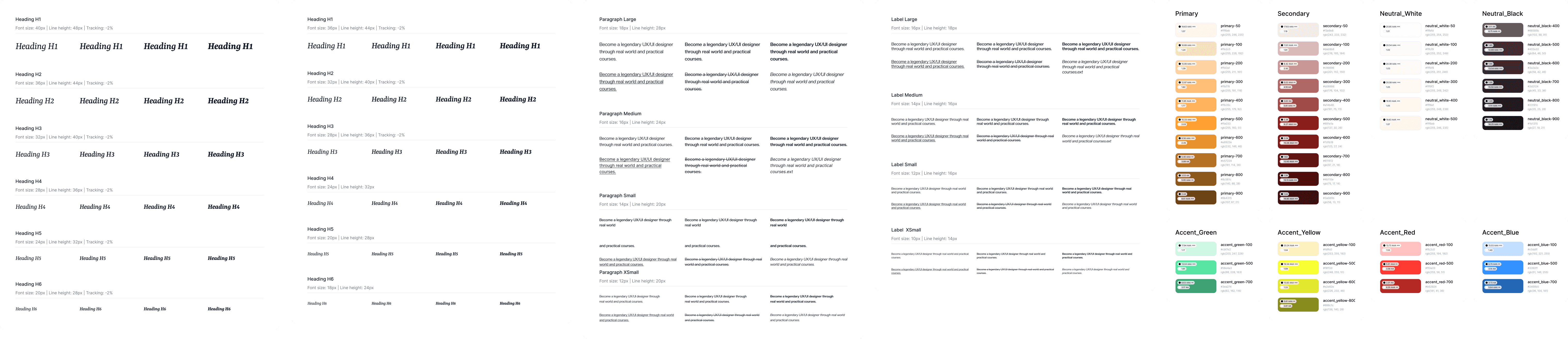
The creation of a style guide reminded of the effectivity of design constraints, as it significantly sped up the design phase. To ensure such smooth sailing in future projects, I will create/use more expansive sets of reusable components (e.g. buttons, image embeds).

The creation of a style guide reminded of the effectivity of design constraints, as it significantly sped up the design phase. To ensure such smooth sailing in future projects, I will create/use more expansive sets of reusable components (e.g. buttons, image embeds).

Predefined text styles and spacing constraints accelerated design phase by eliminating repetitive decisions, and maintained a cohesive design.

The Color Rule
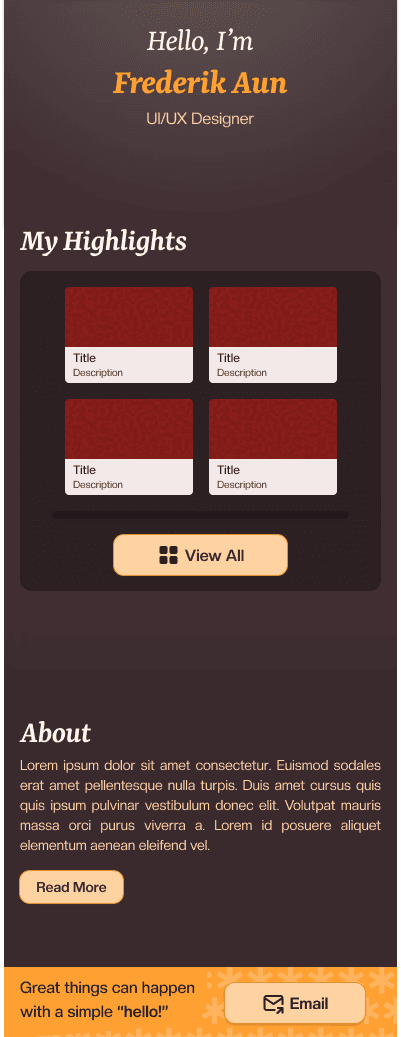
The 60-30-10 rule was another aspect that stirred confusion, as I had it flipped initially. After the acknowledgement of my carefree color application, I took a step back to re-learn it. Returning to correct the colors, the switch made a night and day difference—literally.

The 60-30-10 rule was another aspect that stirred confusion, as I had it flipped initially. After the acknowledgement of my carefree color application, I took a step back to re-learn it. Returning to correct the colors, the switch made a night and day difference—literally.

Before (left): Overuse of primary orange created visual noise. After (right): Proper 60-30-10 rule application achieved a cleaner and breathable look.

Before (left): Overuse of primary orange created visual noise. After (right): Proper 60-30-10 rule application achieved a cleaner and breathable look.

To conclude, I consider this ‘recruiter-first’ portfolio a success which stands to propel my UI/UX design career further with its learnings.

Contact

Great things can happen with a simple "hello!"

Quickly to

© FREDERIK AUN. ALL RIGHTS RESERVED

Contact

Great things can happen with a simple "hello!"

Quickly to

© FREDERIK AUN. ALL RIGHTS RESERVED